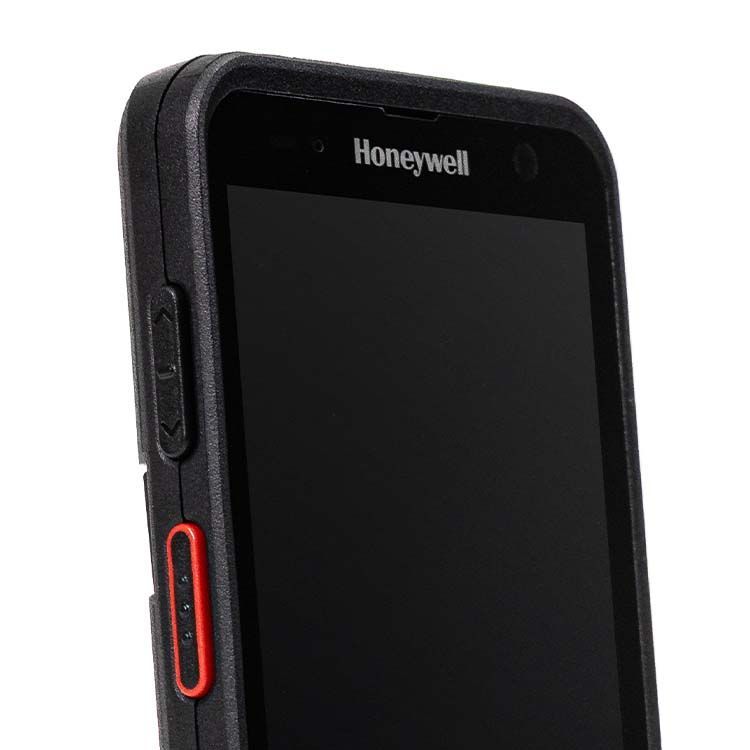
Push-to-Talk for fast staff communication

Push-to-Talk

An urgent delivery must leave the warehouse immediately. Instead of searching for individual staff members or calling them one by one, the shift supervisor informs the entire order-picking team at the touch of a button. The voice message reaches all relevant staff immediately on their mobile computers – and the team can respond without any delay.

In a nutshell: Push-to-Talk, or PTT for short, enables voice communication at the touch of a button. It allows staff to contact individual people, designated teams or entire sites via Wi-Fi or mobile networks. This transforms mobile computers into digital radios that combine communication, barcode scanning and mobile work processes in a single device. Push-to-Talk is particularly well-suited to warehouses, logistics, manufacturing, retail and the healthcare sector. Wherever staff work on the move and information needs to be conveyed quickly to several people, PTT can significantly simplify coordination.

What is Push-to-Talk?

Push-to-Talk is a form of digital voice communication in which a person holds down a button on their mobile device or on the screen and speaks their message. Once the button is released, the transmission ends and other participants can reply. Unlike a traditional telephone call, participants do not speak at the same time. This ensures that conversations remain clear and easy to follow, even in larger groups.

Push-to-Talk does not require traditional telephone numbers. Instead, users are organised via accounts, roles, groups or communication channels. Voice transmission takes place via the organisation’s Wi-Fi, mobile networks, or a combination of both. Professional PTT solutions can be managed and controlled centrally.

Push-to-Talk Button

How does Push-to-Talk work on mobile computers?

The process is deliberately simple:

  1. Select the desired person or group in the PTT app.
  2. Press the PTT button on the device or on the display.
  3. Speak your message.
  4. Once you release the button, the channel is released again.
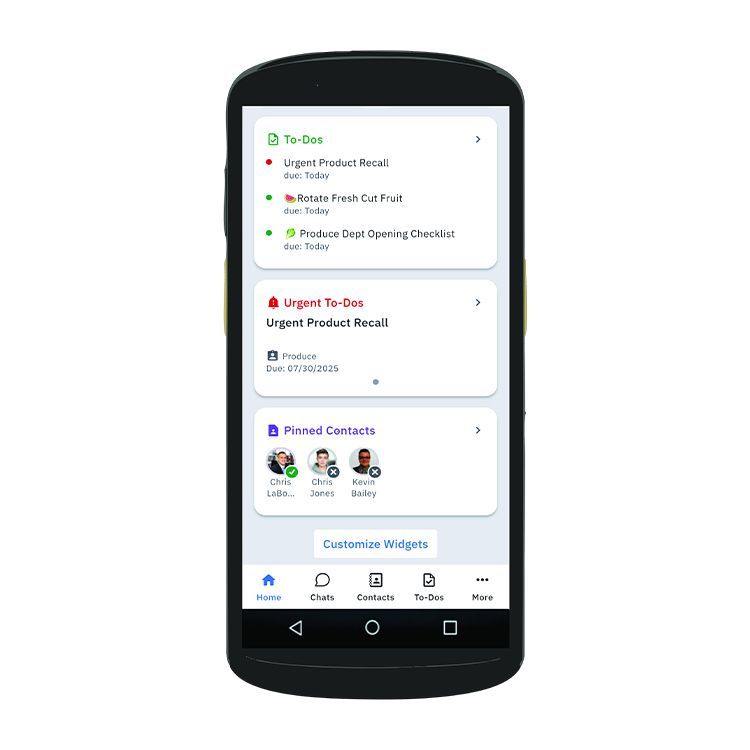
Depending on the PTT solution used, staff can communicate directly with individuals, specific departments or cross-site groups. For example, a message can be sent exclusively to the dispatch team, to shift managers or to all staff at a warehouse.

Many rugged mobile computers feature a customisable hardware button. This makes it easy to use the PTT even whilst wearing gloves. In noisy working environments, headsets or external speakers can also be used.

What are the benefits of Push-to-Talk?

Faster coordination without detours

Push-to-Talk reduces the effort involved in clarifications and last-minute coordination. Staff no longer need to contact several people individually; the information reaches all members of the selected communication channel immediately.

This is helpful, for example, in the case of:

  • last-minute changes in priorities,
  • urgent deliveries,
  • missing or damaged items,
  • technical faults,
  • safety alerts,
  • last-minute staff rota changes.

Communication and data capture on a single device

In many warehouse and logistics processes, staff already use mobile computers for scanning barcodes, order picking or stock transactions. An integrated PTT application adds voice communication to these devices. This means that an additional mobile phone or two-way radio is not strictly necessary. This reduces the number of devices carried and simplifies procurement, administration, maintenance and support.

Automatic voice translation

Some modern PTT solutions can automatically translate spoken messages. Depending on the platform and licence scope, numerous languages are supported. In the case of a voice message, translation usually begins once the speaker has finished their transmission. Recipients then hear the message in the language specified for them.

Centralised management of users and channels

Professional PTT solutions are administered centrally. A role-based authorisation model prevents all staff from automatically gaining access to all communication channels. This ensures that mobile staff communication remains structured and controllable. Administrators can, amongst other things, specify:

  • which users are permitted to communicate with one another,
  • which groups and channels are visible,
  • who is permitted to create new groups,
  • which devices and user accounts are authorised.

Secure corporate communication

Corporate communication should not take place via private messaging apps, personal telephone numbers or unmonitored radio channels. Professional PTT solutions can transmit voice and control data in encrypted form and restrict access to authorised devices and user accounts.

Rapid assistance in emergencies

In emergencies, information must reach the relevant people quickly and unambiguously. Some PTT solutions therefore offer prioritised emergency communication. An emergency call can interrupt other conversations or be prioritised and forwarded to defined recipient groups. In addition, the device’s current location can be transmitted, enabling those responsible to identify where help is needed more quickly.

Push-to-Talk

What else can modern PTT solutions do?

Modern communication platforms go well beyond the traditional functions of two-way radios. Solutions such as Zebra Workcloud Sync, Honeywell Smart Talk or Zello on compatible Datalogic devices can – depending on the product, licence and configuration – bring together various forms of communication within a single application.

These include, for example:

  • Traditional voice and video calls,
  • text, image, audio and video messages,
  • forums or team-based information channels,
  • task lists and work orders,
  • location and presence information,
  • connection to a telephone system via PBX integration.

Which push-to-talk solution is right for your business?

Push-to-Talk combines fast voice communication with the mobile devices that staff already use for their day-to-day tasks. This makes it possible to reach teams – particularly in warehousing, logistics, manufacturing and retail – without the need for additional telephones or traditional two-way radios.

The right solution should not be chosen solely on the basis of the longest list of features. The key factor is how well the platform can be integrated into existing devices, networks and work processes. Before a full-scale roll-out, it is advisable to carry out a pilot project with real users. Only under real-world working conditions can it be determined whether the solution works reliably.

Our team supports you in selecting suitable hardware and software, analysing Wi-Fi and process requirements, as well as with configuration, pilot projects, roll-out, mobile device management and ongoing support. This turns a PTT app into a reliable solution for day-to-day mobile staff communication.

Frequently asked questions about Push-to-Talk

Is Push-to-Talk the same as a two-way radio?

The way they are used is similar, but the underlying technology is different. Traditional two-way radios transmit voice over radio frequencies. Modern PTT solutions use Wi-Fi or mobile data networks and offer additional features such as user management, translation, multimedia messaging and location information.

Does Push-to-Talk require an internet connection?

PTT requires a working Wi-Fi or mobile network connection. In a company warehouse, communication can take place entirely via the internal Wi-Fi. For field operations, a mobile data connection is often required.

Can several people speak at the same time?

With traditional PTT communication, one person usually speaks whilst the others listen. Once the button is released, the next person can reply. For conversations where both parties need to speak at the same time, some platforms also offer standard voice or video calls.

Can Push-to-Talk replace a mobile phone?

In certain work processes, yes. If staff are already using rugged mobile computers for barcode scanning and data collection, a PTT application can eliminate the need for an additional phone or radio. Whether a complete replacement is possible depends on the communication functions required.

Is Push-to-Talk also suitable for multiple sites?

Yes. Cloud-based PTT solutions can connect users across multiple warehouses, branches or company sites. This requires a suitable network connection and a properly configured authorisation and group structure.